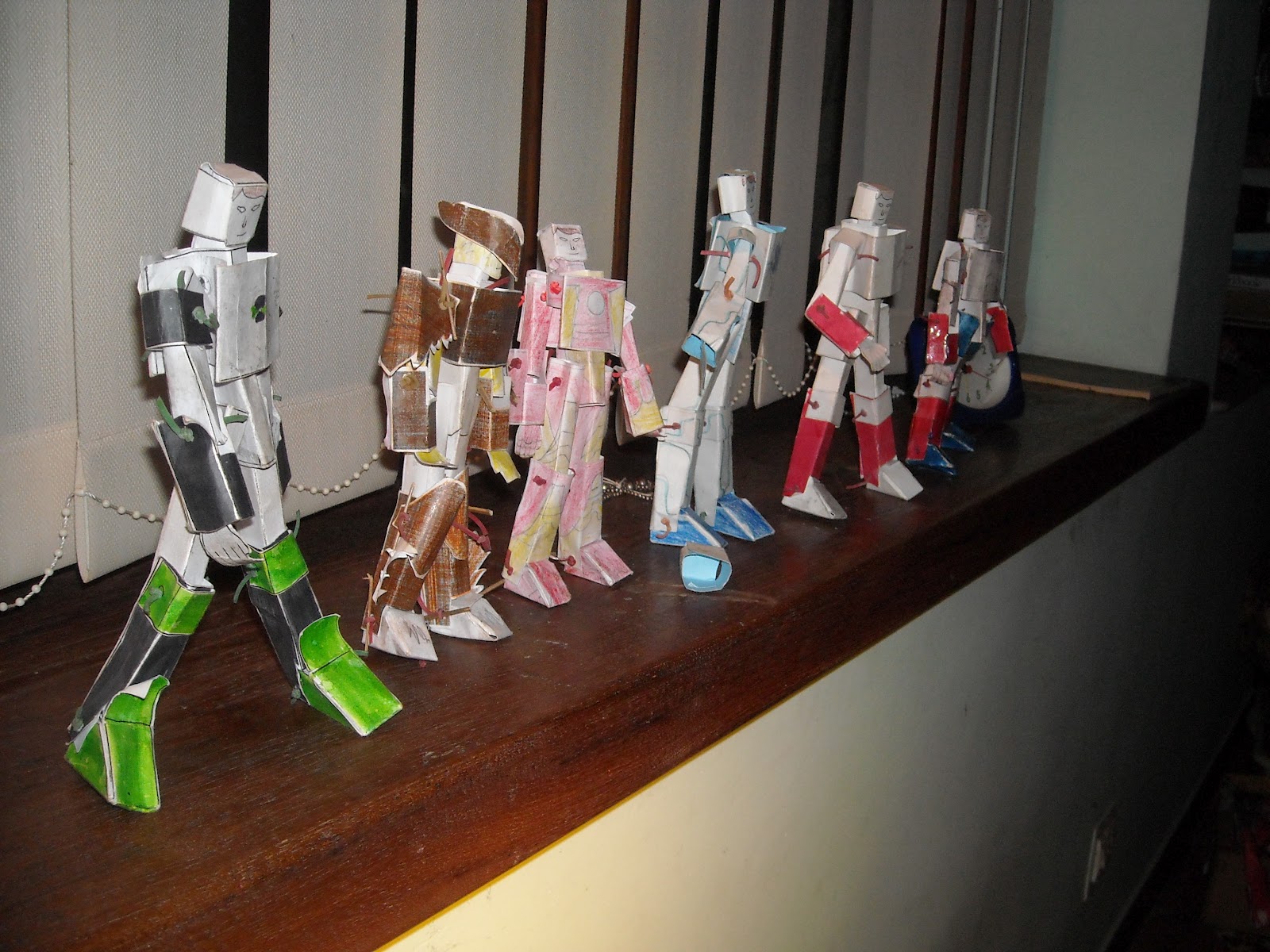
Assembling the Paper Robot Step by Step in Photos
If you are wondering if the paper robot template from my last post is for you, these pictures will help you decide. Here is a sample of how I printed out my robots. I wanted them bigger, so I divided one printout into two pages. Go ahead and print out Blue Steel! (Ignore the parts of pieces that have doubled up- you won't need those portions!)
Although there are multiple ways to put it together, this is how I did it. It takes at least a couple of hours from start to finish.
You will need:
Scissors
Rubber bands
Glue
Compass or anything sharp for making holes
In the photos below, I actually enlarged the template by dividing it onto two pages instead of one. It is too small if you use just one page. About 4 inches tall. Basically make it bigger somehow!
I started with the feet and worked my way up. I also only glued the parts closed when I finished putting the rubber bands through. This makes a difficult task just a bit easier.
So now the calf is connected to a foot. The upper leg goes on the inside of the calf and the knee pad on the outside, so get the rubber band through the upper leg holes first and then pull them through the calf and knee pad.
I then connect each upper leg to the torso separately, using a knot on the rubber band on the inside of the torso for each leg.
Next comes the neck inside the torso, and the chest on the outside of the torso. You can use one rubber band strung through all of this. The shoulder must go with the chest. Then you can tie a knot at the shoulder on each side. The arms will connect to the other holes on the shoulder pieces.
When you pull the rubber band a bit tight the chest will bend inwards on the dotted lines.
Next you can connect the upper and lower arms. Again, glue them after you string through the rubber bands. In the pictures I have not added the shoulder pads which are optional. They do look good though, and I added them afterwards. I also didn't use the hips which can be added last with a bit of glue.
Last you glue on the head and you're done!!! All of the robots follow this basic structure with slight differences. This should give you a pretty good idea if this is a project you are interested in. I am in the middle of assembling these with fourth graders and so far it's working out great. They chose to use one of the character templates
Blue Steel .
Gen 1
Optimus Prime is a favorite, so that's a good one to check out too.
I hope you enjoyed the post and that it might help anyone who is doing this for the first time!!
If anyone has questions about models or requests let me know in the comments.
The best way to enjoy paper modeling is to choose your templates carefully!!! There are lots of not so good robots out there.
Don't forget about the Transformers!!